
Sportzfy App Download for Android – APK Latest Version v32.0
Sportzfy is a sports streaming app designed for viewers who want quick access to live matches and sports channels. It brings cricket, football, basketball, tennis, motorsports, and other sports together on one convenient platform. Its simple interface helps users browse categories, find live events, and choose available streaming options based on their connection. Before installing Sportzfy, users should check the latest version, device compatibility, security considerations, and local content availability.
Check the APK source, compatibility and permissions before installing.

What is the Sportzfy App?
Sportzfy is an Android sports streaming app for watching live matches and sporting events. It brings different sports categories together, making available content easier to browse. Users can explore cricket, football, basketball, tennis, and motorsports in one place.
The app provides access to available live streams and sports channels through a simple interface. Depending on the version, users may get different video qualities and multiple streaming options. These features can make viewing more convenient on different devices and internet connections.
Sportzfy can run on compatible Android phones and tablets, while some versions may support Android TV. Available channels, streams, and features can change between different releases. Users should check compatibility and verify the APK source before installation.
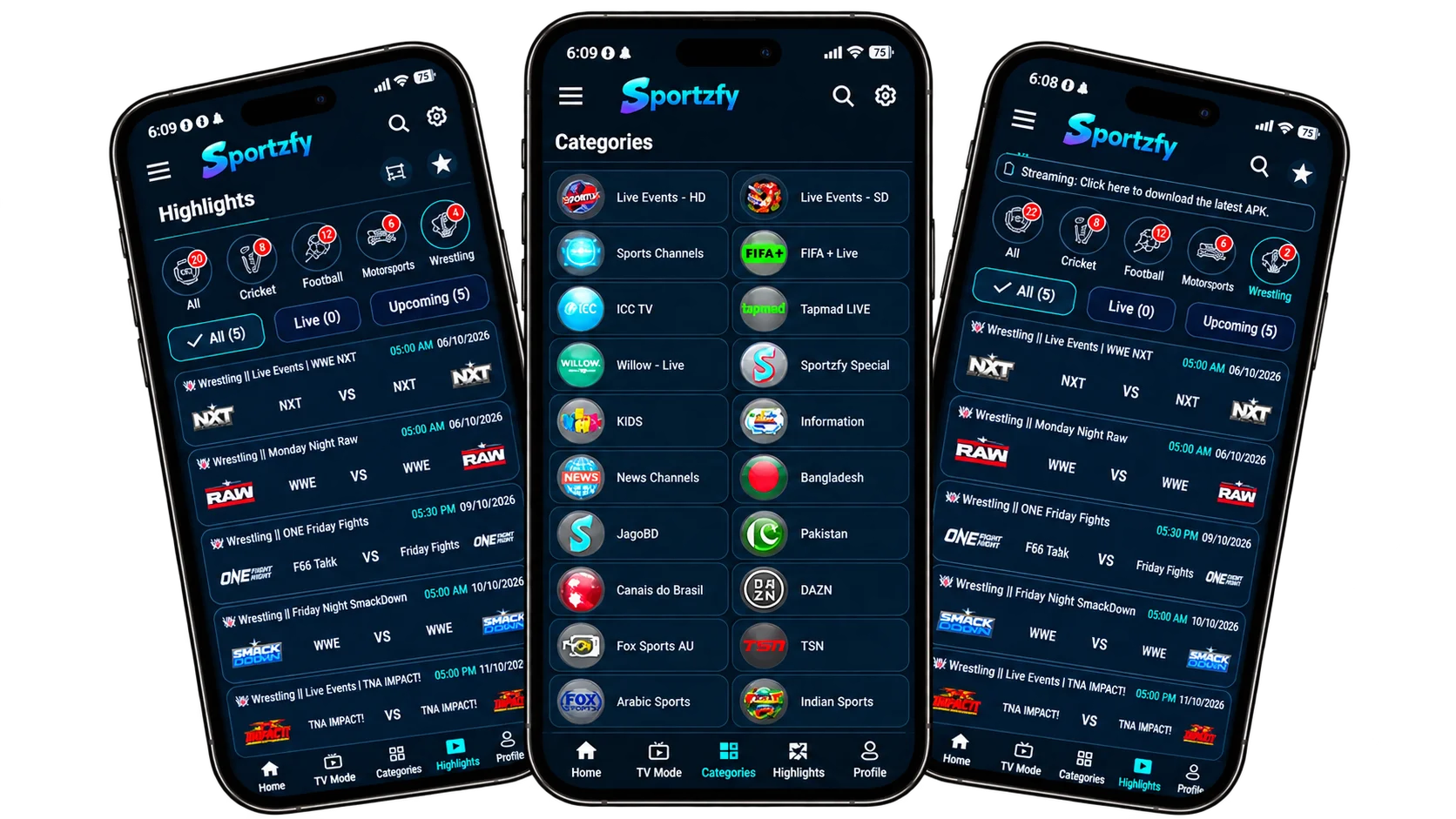
Sportzfy app information
Before downloading Sportzfy, it is useful to check the basic app details, including its version, platform, size, and compatibility. The information below provides a quick overview to help you understand the application before installation.
| Information | Details |
|---|---|
| App Name | Sportzfy |
| Category | Sports Streaming |
| Latest Version | v32.0 |
| Platform | Android, PC & Mac via Emulator |
| File Format | APK |
| Main Content | Live Sports & Sports Channels |
| Internet Requirement | Required for Streaming |
Why is the Sportzfy app popular among sports fans?
Sportzfy is popular among sports fans because it brings different sports and live events together in one convenient platform. Users can explore cricket, football, basketball, tennis, and other sporting content without switching between multiple apps. This makes it easier for viewers to keep up with different matches from a single place.
Its simple layout makes it easier to find available matches and sports channels quickly. Different playback options may also help viewers enjoy smoother streaming based on their internet connection and device performance. The larger selection of sports can also make the platform useful for fans with varied viewing interests.
What’s New in the Latest Sportzfy Version?
The latest listed release is Sportzfy v32.0, with several updates focused on TV viewing, channel access, and stability.
- 500+ Channels: The latest version lists more than 500 sports, news, entertainment, kids, and movie channels.
- New TV Mode: A dedicated TV Mode provides a more TV-friendly viewing experience on compatible devices.
- Remote Channel Changing: Users can change channels directly using a compatible TV remote.
- Multi View: Some current listings report support for watching multiple channels or live events together in one viewing layout on compatible devices.
- Improved Streaming: The update includes playback and performance improvements intended to provide a smoother viewing experience.
- Better Device Support: Recent versions are promoted for Android phones and compatible Android TV devices.
- Bug Fixes: Several bugs have been addressed to improve app stability and reduce unexpected problems.
If you need an earlier build, check the Sportzfy old version APK guide and confirm device compatibility before installing it.
Features of the Sportzfy app
Live Sports
Sportzfy is designed for live sports streaming, giving users access to matches, tournaments, and sporting events in one interface. Viewers can browse different categories and select a suitable stream when an event is available.
Wide Range of Sports
The app covers several popular sports, including cricket, football, basketball, tennis, motorsports, and more. This variety makes it easier for users to explore different types of live content without having to use separate sports-focused platforms.
Multiple Streaming Options
Some events may provide more than one available streaming source. Multiple options can be useful when a particular stream experiences buffering, becomes unavailable, or does not work properly on a user’s device.
Different Video Qualities
Sportzfy may provide different playback-quality options depending on the available stream. Users can select a suitable quality based on their internet speed, screen size, and data usage requirements.
Simple User Interface
The app uses organized categories and straightforward navigation to help users find sports and available channels. A simple layout can make it easier to move between categories and locate a live event quickly.
Search Function
A search feature can save time when users are looking for a specific sport, channel, or event. Instead of scrolling through multiple categories, viewers can enter relevant terms and check the available results.
Floating Video Player
Supported versions may include a floating player that keeps video playback visible while users navigate within the application. This feature can provide a more flexible viewing experience on compatible Android devices.
TV Mode and Remote Support
Newer versions may include TV-focused features designed for compatible Android TV devices. TV Mode and remote-friendly navigation can make browsing channels and controlling playback more convenient on larger screens.
Multi View Support
Some newer releases advertise Multi View functionality, allowing compatible streams to appear together within the viewing interface. This can be useful for users who want to follow more than one live event.
Regular Updates and Bug Fixes
Sportzfy releases may receive updates that introduce new features, improve compatibility, or address existing bugs. Checking the current version before installation is important because available features and content can change between releases.
What you can watch on the Sportzfy app
Cricket
Cricket is one of the main sports viewers may find on the platform. Depending on the available streams, users can watch live matches, tournaments, league games, and other cricket-related coverage.
Football
Football fans may find live league matches, international games, tournaments, and other football events. Available coverage can change depending on the current stream sources and scheduled matches.
Basketball
The platform may offer live basketball games from different competitions and leagues. Users can browse the available sports categories to find ongoing or scheduled basketball streams.
Tennis
Tennis fans can explore available matches, tournaments, and other major events. Stream availability may depend on the current schedule, source, and version of the application.
Motorsports
Motorsports content may include racing events and other competitive driving broadcasts. Viewers can check the available listings to find races that are currently being streamed.
Wrestling
Users may also find wrestling programs and selected live events through available sports streams. Coverage can vary, so some events may not always be available.
Boxing and Combat Sports
Boxing and other combat sports can provide access to selected fights, competitions, and related broadcasts. The available content depends on the current streaming sources and event schedule.
Sports News
Along with live events, users may find sports news, updates, discussions, and other related programming. This can be useful for following recent developments between matches.
Sports Channels
The app may provide access to various sports-focused channels in addition to individual events. These channels can include live programming, match coverage, analysis, and other sports content.
Other Sporting Events
Additional sports may also appear depending on the current lineup and available sources. These can include different competitions or less common sports that may not always be listed.
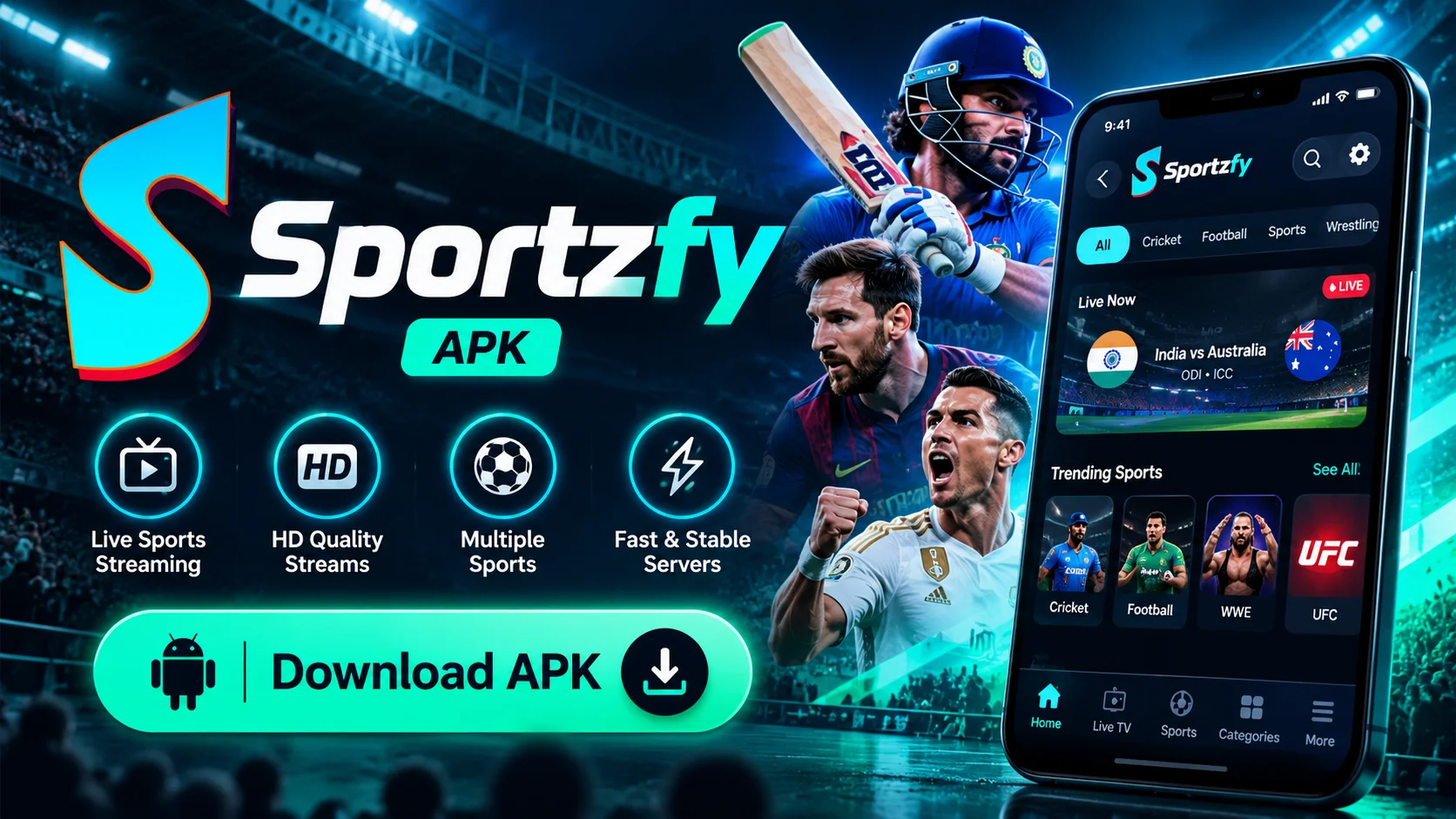
Android System Requirements
Before installing Sportzfy, make sure your Android device meets the basic requirements for smooth installation and streaming. Requirements can vary between releases, so the current APK should always be checked before installation.
| Requirement | Recommended Details |
|---|---|
| Operating System | Android 5.0 or later |
| RAM | 2 GB minimum; 3–4 GB recommended |
| Storage | At least 100 MB of free space |
| Processor | Dual-core or better |
| Internet | Stable Wi-Fi or mobile data connection |
| Display | Smartphone or tablet with a standard Android display |
| Installation | APK installation from a trusted source |
How to Download and Install the Sportzfy app on Android
If you want to install Sportzfy on an Android device, follow these straightforward steps. Because it is distributed as an APK, check the file source and compatibility before installation.
1. Download the Sportzfy APK File
Visit a reliable website that provides the Sportzfy APK and download the latest compatible version to your Android device. Always check the source before downloading any file.
2. Enable Installation Permissions
Open your phone’s Settings and navigate to Security or Apps. If required, allow your browser or file manager to install apps from unknown sources.
3. Install the Sportzfy App
Go to your File Manager and open the Downloads folder. Find the Sportzfy APK file, tap it, and follow the on-screen instructions to complete the installation.
4. Open and Use Sportzfy
Once installation is complete, launch Sportzfy from your app drawer. Explore the available sports content and check that the app works correctly on your device.
My experience using the Sportzfy app over the Previous Year
Over the past year, I have found the app convenient for checking available live sports and following different matches. Its simple layout made it easier to browse sports categories and find streams without much effort.
I also liked using it on a larger screen through an Android emulator, especially during longer matches. The experience depended mostly on my internet connection, stream availability, and the performance of my device.
Overall, my experience was useful for regular sports viewing, although buffering and unavailable streams sometimes occurred. Keeping the emulator updated and using a stable connection helped me get a smoother experience.
How to Set Up the Sportzfy app for a better experience
A few simple settings can make streaming more comfortable and reduce common playback issues. Use a stable internet connection, choose suitable video quality, and keep your Android device running smoothly before watching live sports.
- Use a Stable Internet Connection: Prefer reliable Wi-Fi or strong mobile data for smoother streaming.
- Choose Suitable Video Quality: Lower the quality when your connection is slow to reduce buffering.
- Free Up Storage: Keep enough storage available for better device performance.
- Close Background Apps: Close unnecessary applications to free RAM and system resources.
- Keep the App Updated: Use a trustworthy, compatible version when an update is available.
- Use Android TV Settings: Adjust display and sound settings for a better experience on larger screens.
Alternatives to Sportzfy
If Sportzfy is unavailable on your iPhone or iPad, several established sports apps are available through the Apple App Store. Availability of particular matches varies by country and broadcasting rights.
For a wider comparison, see Sportzfy vs paid apps, or explore our Sportzfy Krira TV guide before choosing an option.
1. ESPN
ESPN provides live sports coverage, scores, news, highlights, and other sports content through its iOS app. It is available for iPhone and iPad, although some live content may require a subscription or depend on regional rights.
2. DAZN
DAZN is a dedicated sports-streaming platform covering sports such as football, boxing, NFL, basketball, tennis, and more. Its iOS app supports both iPhone and iPad and offers live as well as on-demand content.
3. beIN SPORTS
The beIN SPORTS app provides sports news, videos, highlights, live scores, standings, and other coverage. It is available for iPhone and iPad through the App Store.
4. TOD
TOD by beIN is particularly relevant for viewers in the MENA region. Its iOS app offers live sports including football, Formula 1, tennis, and other events, with availability depending on the user’s location and subscription.
5. Fubo
Fubo is another sports-focused streaming option for compatible markets, combining live sports with television content. Its availability, channels, and supported events depend on the user’s country and subscription plan.
Is the Sportzfy app safe to install?
Sportzfy should be downloaded carefully because APK files from unofficial sources may carry security risks. Before installing, verify the download source, scan the file with reputable security software, and review the permissions requested by the app. Avoid modified or suspicious versions that request unnecessary access to your device or personal information. It is also wise to keep Android security features enabled and remove the APK if your device displays an unexpected warning.
Pros and Cons
| Pros | Cons |
|---|---|
| Wide range of sports and live events | APK installation may be required |
| Simple and easy-to-use interface | Unofficial APK sources can create security risks |
| Multiple streaming options may be available | Channel availability can change |
| Different video-quality options | Stable internet is required |
| TV-friendly features on compatible devices | Some features may vary between versions |
| Built-in search makes content easier to find | |
| Floating player may be available |
Common Sportzfy Problems and Solution
Sportzfy App Is Not Opening
Solution: Restart your Android device and try opening the application again. Clearing the app cache can also resolve temporary loading issues.
Video Keeps Buffering
Solution: Check your internet connection and switch to a stronger Wi-Fi or mobile network. Lowering the video quality may also provide smoother playback.
APK Is Not Installing
Solution: Make sure your device has enough storage, and the APK is compatible with your Android version. Also, check the relevant APK installation permission.
Stream Is Not Loading
Solution: Try another available stream and check your internet connection. The selected source may be temporarily unavailable.
App Keeps Crashing
Solution: Restart your phone and clear the application’s cache. Closing unnecessary background apps can also free up system resources.
Frequently Asked Questions (FAQs)
1. Is Sportzfy available for Android?
Yes, the application is primarily designed for Android devices. Compatibility depends on the Android version and the APK release.
2. Does Sportzfy require an internet connection?
Yes, you need a stable internet connection to watch live sports and other online content without frequent interruptions.
3. Can I watch cricket and football?
The platform may provide streams for popular sports such as cricket and football, along with several other sporting events.
4. Can I use it on Android TV?
Some releases may support Android TV with a TV-friendly interface. Compatibility should be checked before installation.
5. Why does the video keep buffering?
Buffering can occur because of a weak connection, busy streaming sources, or high video quality. Try a stronger network or lower the quality.
Conclusion
Sportzfy provides a convenient way for sports fans to explore live matches, sporting events, and sports channels from a single platform. Its simple interface, multiple viewing options, and support for different devices can make watching live sports more convenient. Users can also explore different sports categories and choose available streams based on their preferences.
However, users should check device compatibility, verify the APK source, and consider security risks before installation. Keeping the application updated and using a stable internet connection can also help provide a smoother viewing experience.
Download and install Sportzfy.
Review the app information and device requirements before you begin. The guide explains how to download, install and open the app on Android.